
Kruti
2025
Design system and token framework for Kruti — light and dark themes
Design Tokens
Icon Library
Component Library
OVERVIEW
I led the development of the design system and token architecture for Kruti, ensuring visual consistency and scalability across light and dark themes.
1/1
Project
As Kruti started expanding across different platforms, it became clear that we needed a consistent and scalable design system.
This project focused on building a unified Design System and a robust Token architecture to support both light and dark themes.
The goal was to make the design-to-development process smoother and keep the overall experience consistent everywhere.
1/2
Challenge
The design system was being built alongside new design initiatives, which meant we had to ensure it evolved fast enough to support ongoing explorations, keeping everything designers needed ready, without slowing the pace of innovation.
1/3
Team


APPROACH
Setting up the right system, token framework, and naming patterns to keep everything consistent and easy to scale.
2/1
System Structure
To keep the design system flexible and scalable, I structured it around three layers of tokens — Global, Semantic, and Component. Each layer plays a unique role in maintaining consistency while allowing room for design exploration.
Level 1: Primitive (Global) Tokens
These are the core values that form the foundation of the system. They act as the single source of truth for all visual attributes.
↳ Raw Colour Values
↳ Raw Typography Strings & Values
↳ Raw Number Values
Level 2: Semantic Tokens
Built on top of global tokens, semantic tokens add meaning and context.
Level 3: Component Tokens
These define styles specific to components, combining semantic and global tokens to create patterns that are widely reusable and easy to maintain.
To keep up with the fast-paced design cycles, I followed a hybrid approach — applying semantic tokens directly to design elements wherever their purpose was universal (like hierarchy, weights, or surface layers), avoiding unnecessary component-specific tokens.
2/2
Token Structure
Category → Sub-category → Hierarchy.
To make the system easier to navigate and scale, I organised tokens using a clear hierarchy. This structure keeps everything organised, predictable, and developer-friendly.
Level 1: Category
The broad grouping that defines the type of token.
For example: Text, Stroke, Surface, etc.
Level 2: Sub-Category (if applicable)
A more specific grouping within a category.
For instance, under “Text” we have a sub-category like "AI Response".
Level 3: Hierarchy / State
The final layer that adds contextual meaning or variation, such as primary, secondary, or state-based tokens like hover, pressed, or disabled.
2/3
Writing Format
camelCase
To maintain clarity and consistency across the design system, all tokens follow the camelCase convention. This makes token names readable, predictable, and easy to use for both designers and developers.
2/4
Nomenclatures
Visual Hierarchy
To indicate importance or prominence and to maintain consistent visual emphasis across the interface.
↳ Primary
↳ Secondary
↳ Tertiary
↳ Disabled
↳ Semantics - Warning, Destructive & Success
Weight Hierarchy
For elements like typography or strokes, numeric scales were used to denote relative weight or intensity, making variations predictable and easy to apply.
↳ 1 - for light
↳ 2 - for medium
↳ 3 - for bold
Abbreviations
Standard abbreviations to keep token names concise while retaining clarity.
↳ 'txt' for Text
↳ 'bg' for Background
↳ 'grd' for Gradients
↳ 'str' for Strokes
↳ 'tp' for Transparent
DESIGN SYSTEM
A comprehensive design system that covers colours, typography, values, icons, and components.
3/1
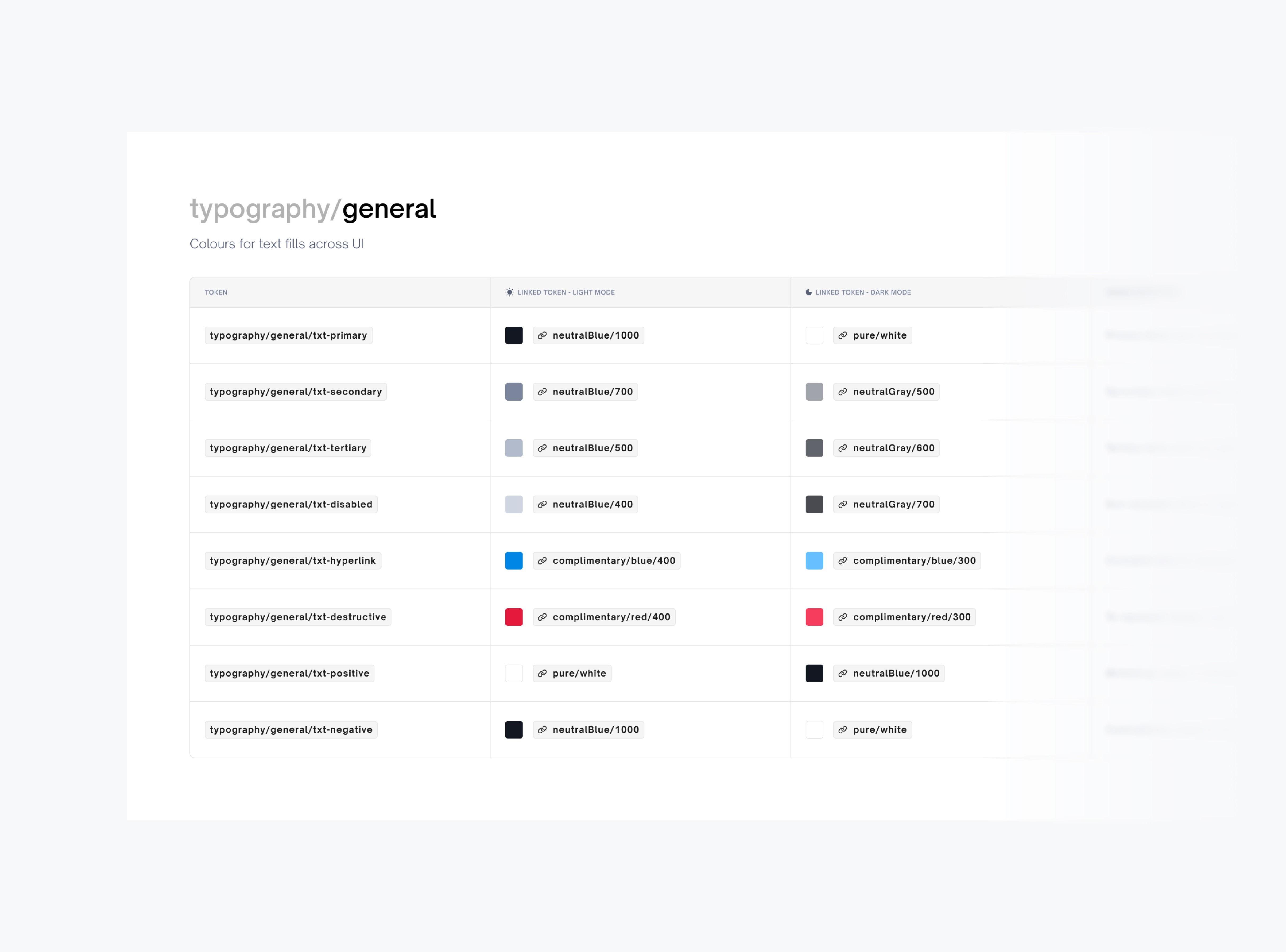
Colour Tokens
Defined for multiple purposes including typography, surfaces, strokes, CTAs, icons, shadows, and gradients. These tokens create a consistent visual language across the product.
3/2
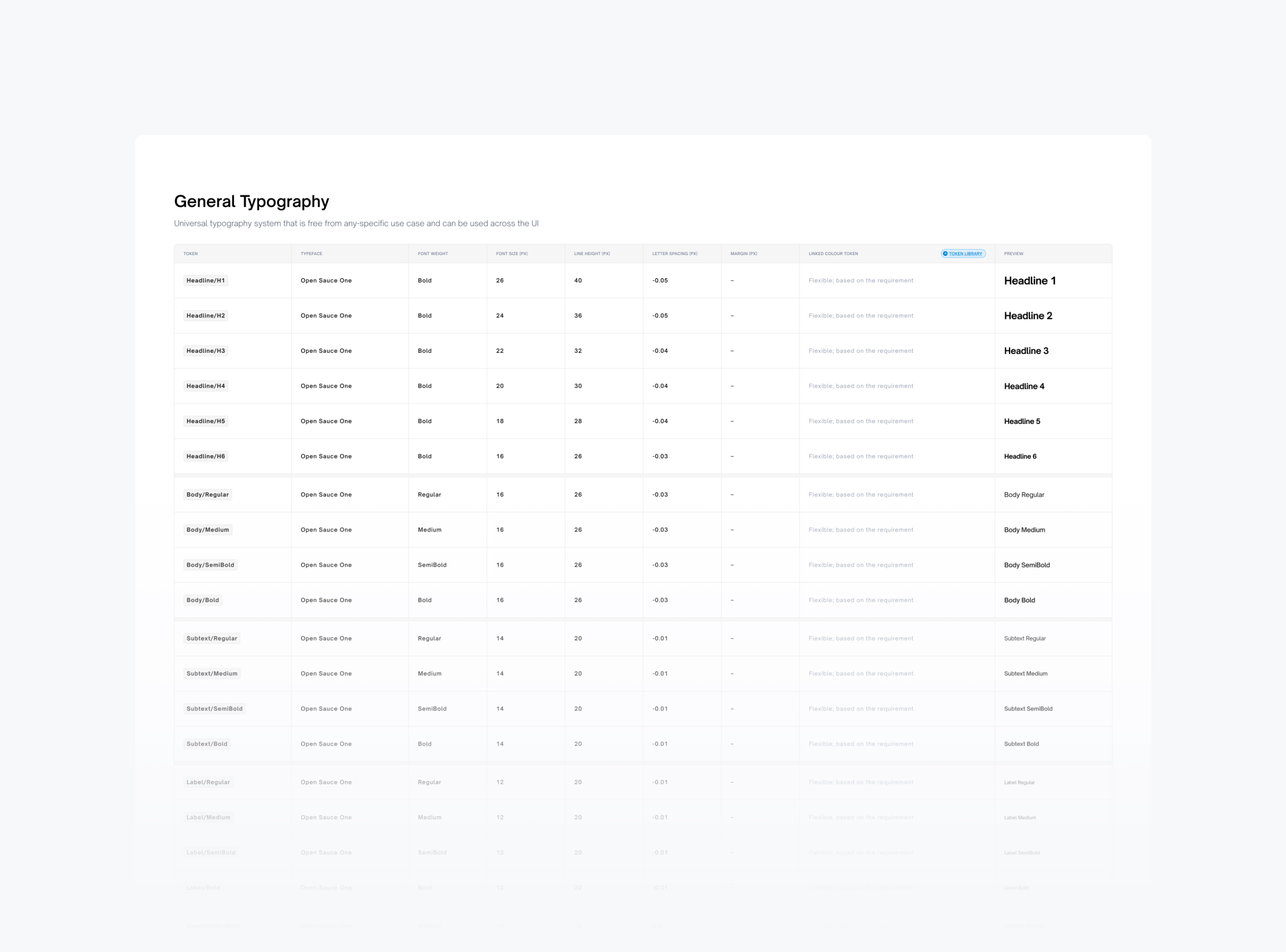
Typography Tokens
Include typeface, font size, weight, line height, and letter spacing. These ensure a clear hierarchy, readability, and consistency in all textual elements.
3/3
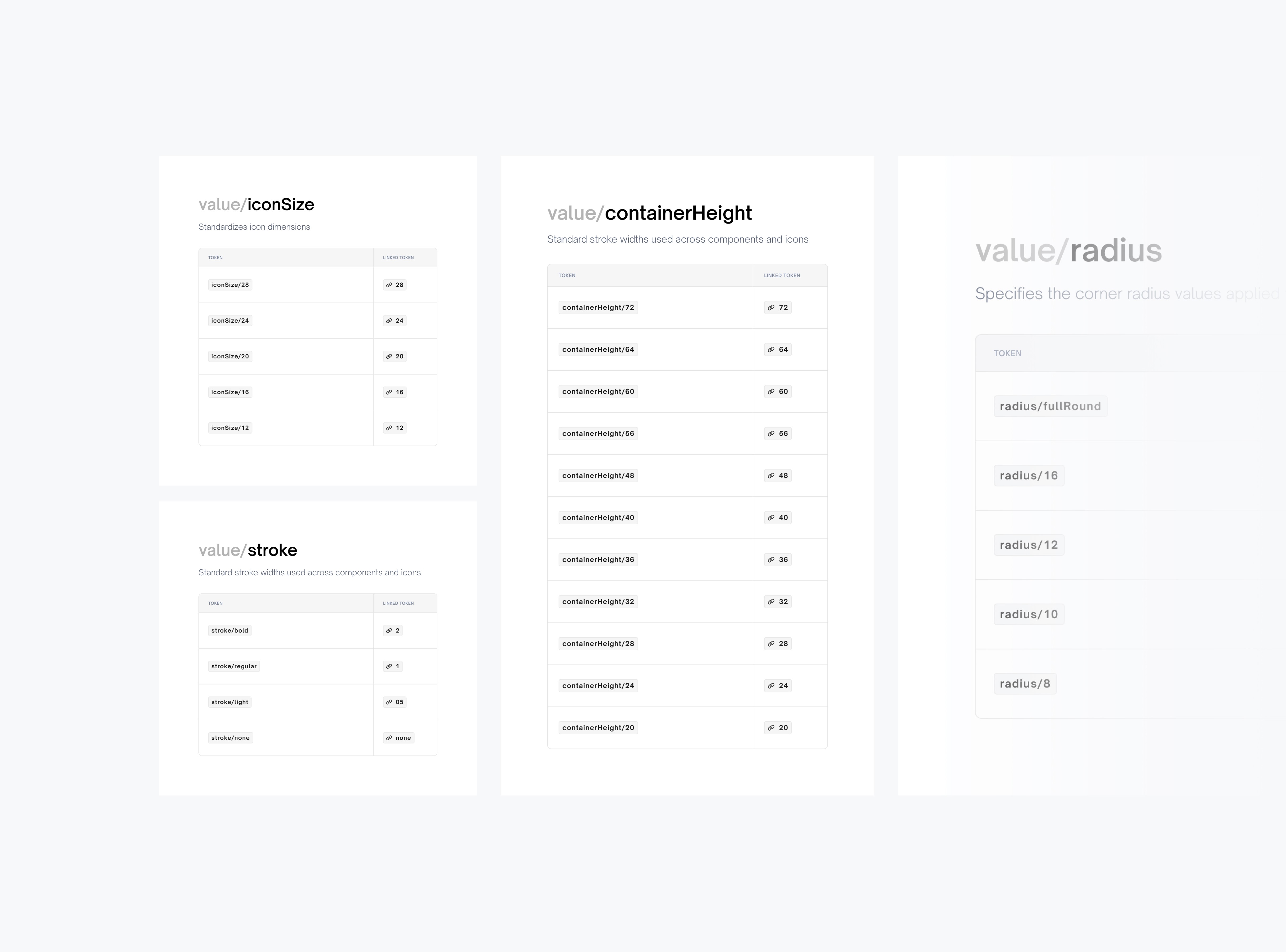
Value Tokens
Cover dimensions like stroke widths, icon sizes, radii, and spacing units. They provide standardised measurements that can be reused across components.
3/4
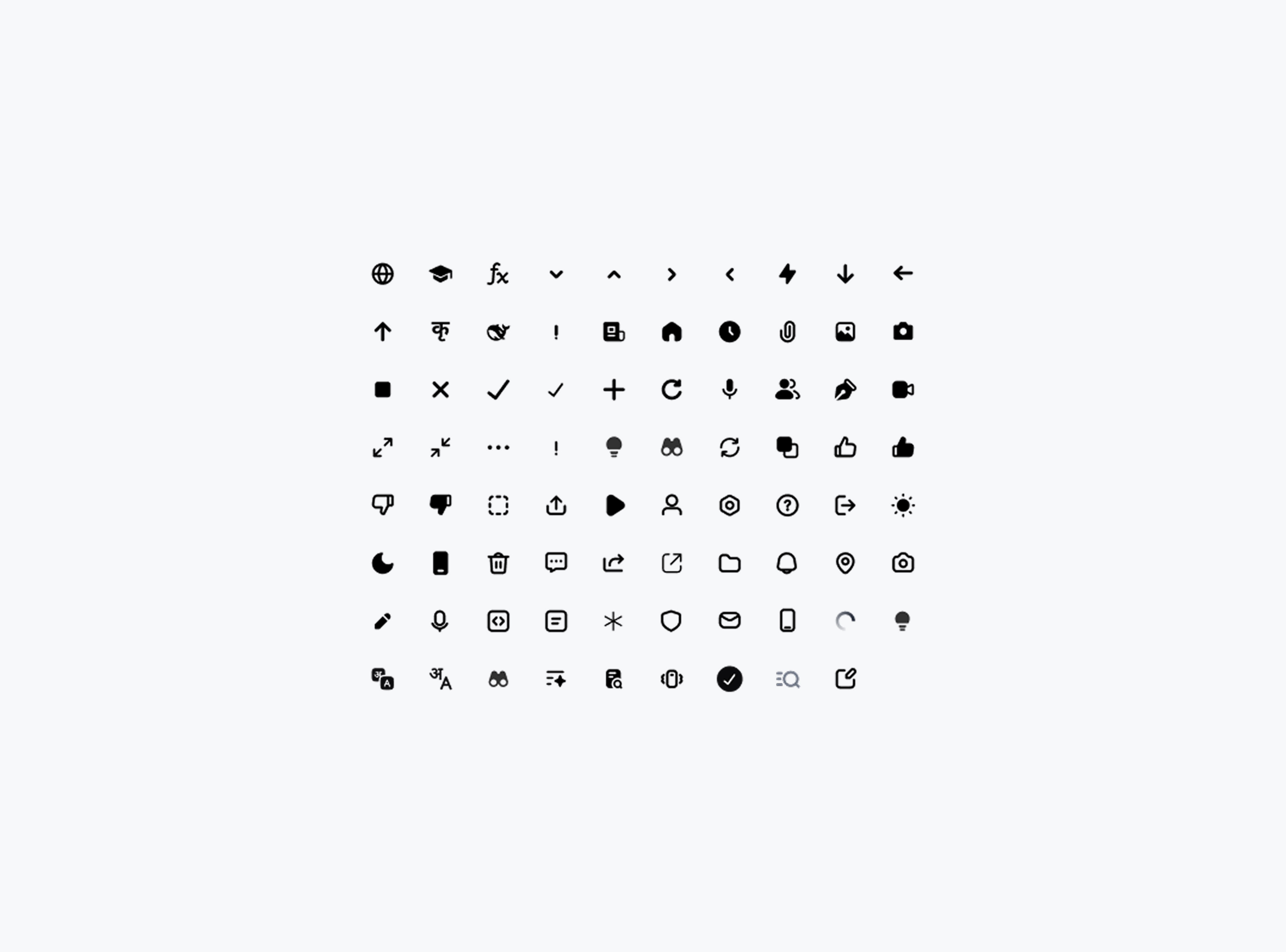
Icon Library
A curated set of scalable icons designed to match the overall visual style and work seamlessly across both light and dark themes.
3/5
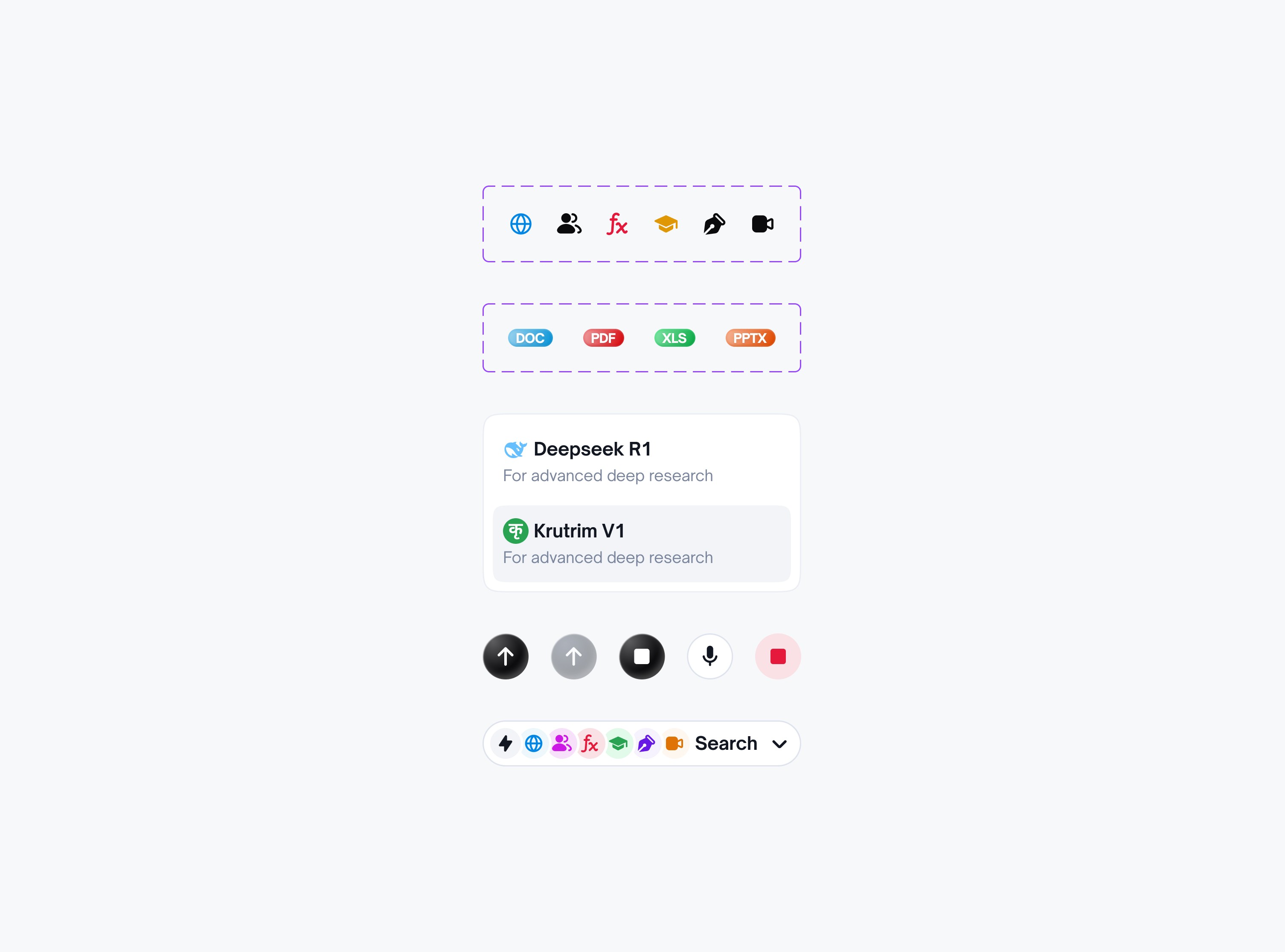
Component Library
Reusable UI components built on top of tokens, ensuring consistency, accessibility, and faster design-to-development implementation.
Design systems have always fascinated me. The clarity, structure, and patience required to build one are aspects of design I deeply enjoy.
And that’s a wrap — hope you enjoyed it!
The End